
QP/C++
7.3.4
Real-Time Embedded Framework
The most recommended way of obtaining QP/C++™ is by downloading the QP-bundle™, which includes QP/C++ as well as other QP™ frameworks and also the QM™ modeling tool and the QTools™ collection. The main advantage of obtaining QP/C++ bundled together like that is that you get all components, tools and examples ready to go.

 If you are allergic to installers and GUIs or don't have administrator privileges you can also download and install QP/C++ separately from the QP/C++ GitHub repository, as described in the next section.
Go to the QP/C++ release page on GitHub, and choose the QP/C++ version number you wish to download. You should select the latest QP/C++ version, unless you have a very specific reason to go with an older release.
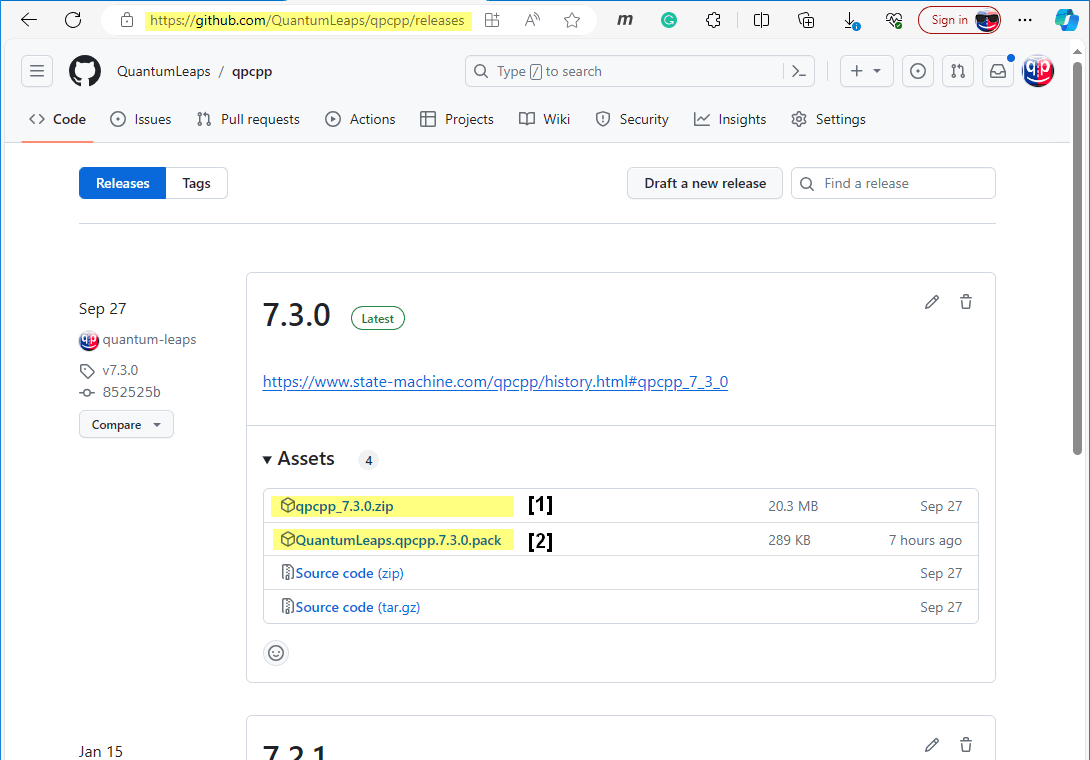
[1] QP/C++ framework ZIP archive (contains HTML documentation and 3rd-party code for the examples)
[2] QP/C++ framework CMSIS-Pack (see the next section)
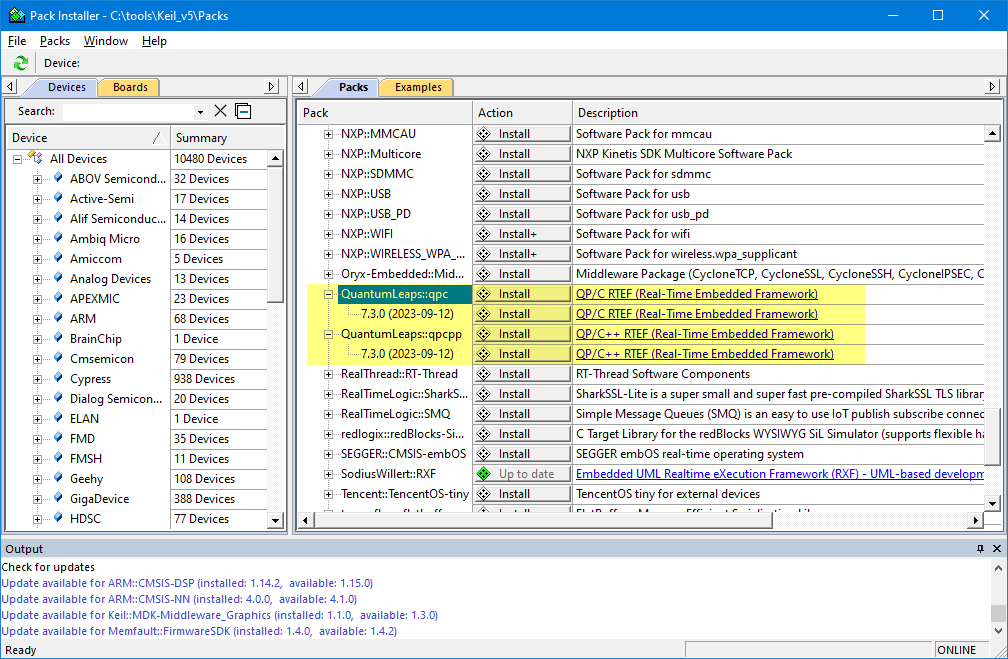
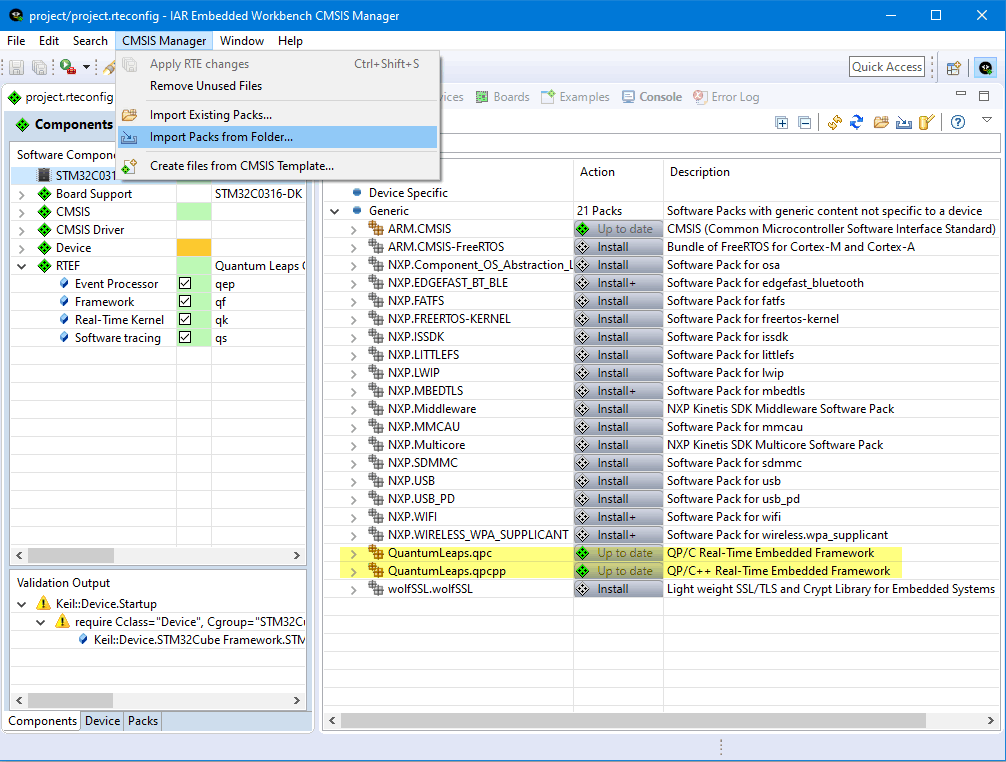
The QP/C++ framework is available as a CMSIS-Pack, which you can obtain either in the KEIL Pack Installer or directly from the QP/C++ release directory on GitHub (see previous section).
The following annotated directory tree lists the top-level directories provided in the standard QP/C++ distribution.
3rd_party folder, which is needed to build the QP/C++ Examples. Therefore, it is highly recommended to download the latest QP/C Release as opposed to cloning the repo directly.examples folder with many Example Projects, which are specifically designed to help you learn to use QP/C++ and to serve you as starting points for your own projects.